



Close Menu
The Brown and WhiteThe Brown and White
    The Brown and White
    33 Coppee Drive
    Bethlehem, PA 18015
    (610) 758-4181
    [email protected]
    Facebook X (Twitter) Instagram YouTube Spotify TikTok
    Facebook X (Twitter) Instagram
    The Brown and WhiteThe Brown and White
    Subscribe
    • News
    • Lifestyle
    • Sports
      • More than a Game
    • Opinion
      • Campus Voices
    • Community
    • Elections
    • Multimedia
      • Galleries
      • Lehigh Insider Podcast
      • The Brown and White Weekly
    • More
      • Advertise
      • Contact Us
      • About the Brown and White
      • Special Sections
        • Data & Graphics
        • The Rivalry
        • Graduation 2022
        • Graduation 2021
        • Graduation 2020
        • Graduation 2019
        • Graduation 2018
        • Graduation 2017
        • The Global Diversity Project
      • Newsletter Sign-up
      • Letters to the Editor
      • Editorial Board
      • Newsroom
      • Subscribe
      • Newsroll
      • Archive
      • Comment Policy
      • Policy on AI
    The Brown and WhiteThe Brown and White
    You are at:Home»News»LUPD’s ‘HawkWatch’ app provides student safety assistance
    News

    LUPD’s ‘HawkWatch’ app provides student safety assistance

    By Jisu ChoiSeptember 19, 2018Updated:September 25, 20183 Mins Read
    Facebook Twitter Bluesky Email Copy Link
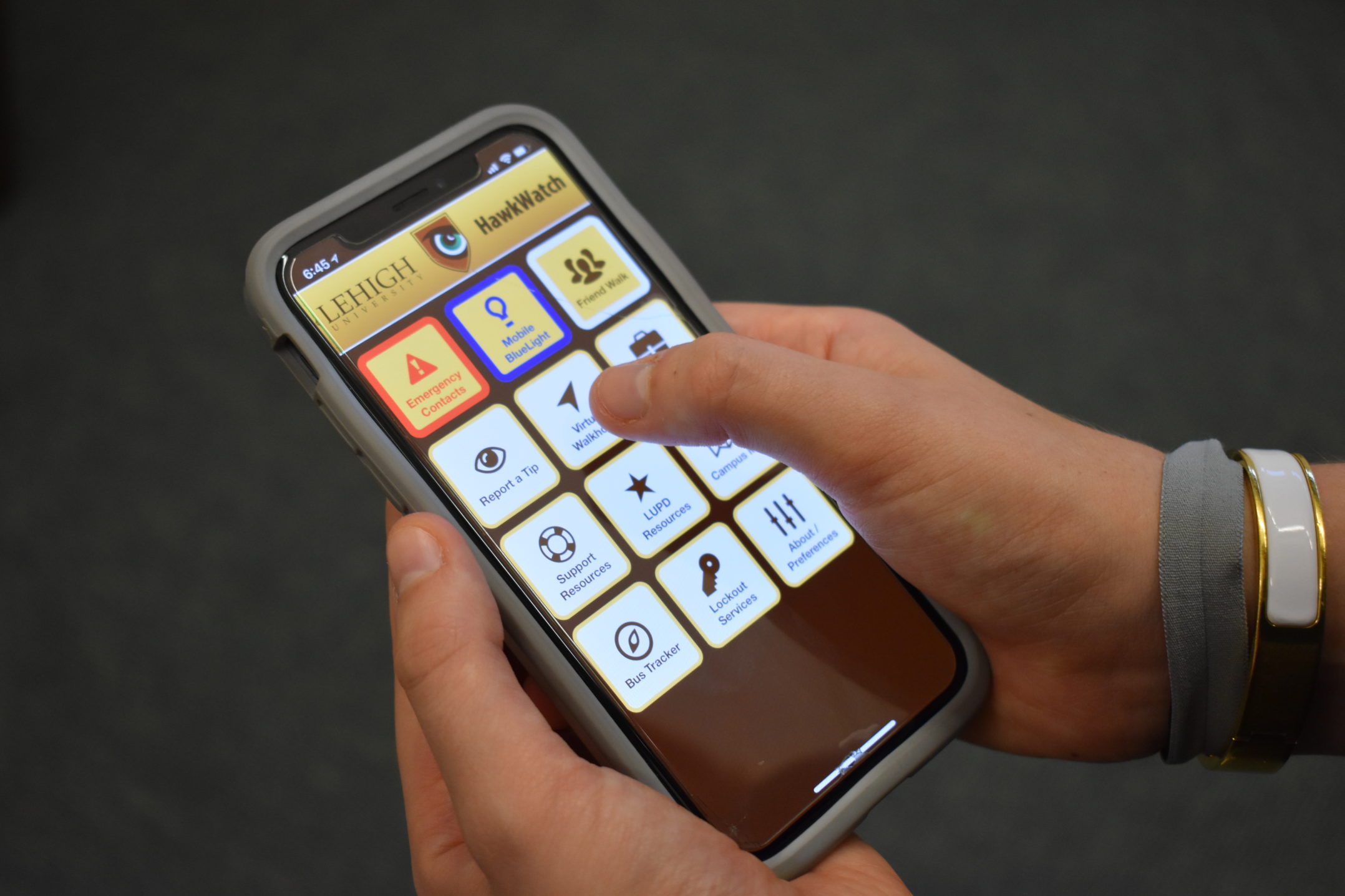
    The HawkWatch app was released by LUPD. The app features a variety of resources for students to use to access emergency contacts. (Photo Illustration by Kate Morrell/B&W Staff)

    At night, small blue lights shine across campus. They are not for aesthetics, though — they identify emergency phone stations that provide immediate contact with dispatchers at the Lehigh University Police Department, 24 hours a day, seven days a week.

    For years, the blue light phone system was the only form of direct and immediate communication between students and LUPD. Now, HawkWatch, a new safety app launched this fall, fills a void created by the loss of the EmergenSee app.
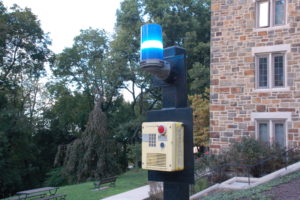
    There are emergency phone stations scattered throughout campus for students if they need LUPD assistance. LUPD is trying to create a safer campus environment with the launch of the HawkWatch app. (Shujin Gong/B&W Staff)

    Jason Schiffer, the chief of LUPD, said HawkWatch is superior to other app options because it offers an array of features, such as the ability to contact LUPD while receiving directions and other emergency contact information.

    “(The app) allowed us to integrate a lot of other resources that are on campus to help students,” Schiffer said. “It’s not just safety. It’s a way for everyone on campus to get access to almost anything that can help them.”

    Another feature, “Virtual Walkhome”, uses students’ locations so campus security can track where users are traveling to and from.

    “(The app is) more useful for when you’re off campus,” Ruth Densamo, ’19, said. “I think that was the only time where I felt like it would be nice to have someone walk me home.”

    Ari Chan, ’19, said the app is innovative.

    “I think it’s a really cool idea,” Chan said. “It’s kind of what you do with your friends anyways — like when your friend asks you to text them when you get home. Now you basically have a mobile version of that.”

    While the class of 2022 was educated about HawkWatch during orientation, some faculty, staff and upperclassmen haven’t learned how to use the app.

    Schiffer plans to find more ways to educate the campus community about HawkWatch’s features.

    “We are getting a considerable amount of usage in the virtual walk feature, which is fantastic,” Schiffer said. “It provides people with a feeling of safety, and we are making sure people get to their destination.”

    Although HawkWatch gives students another way to ensure their safety, many are still concerned with the functionality of the blue light system. Schiffer said measures are being taken to enhance and modernize the 157 emergency phone stations located throughout campus.

    LUPD plans to paint “EMERGENCY” on poles of the blue lights to make them stand out even more.
    “We aren’t looking to replace anything with technology,” Schiffer said. “We want to improve the visibility of phones on campus. We want to look at increasing the visibility of lights and the visibility of the posts.”

    5 minute read campus services and development feature

    Related Posts

    January 7, 2026By Alexandra Bauman

    From AllTeenPolitics to campus leadership, Lilja amplifies young political voices

    December 8, 2025By Julia Cassone

    Beyond the books: South Side library programming serves the community

    December 8, 2025By Lauren Reffue

    Lehigh Police address campus safety concerns

    Comments are closed.

    Comment Policy


    Comments posted to The Brown and White website are reviewed by a moderator before being approved. Incendiary speech or harassing language, including comments targeted at individuals, may be deemed unacceptable and not published. Spam and other soliciting will also be declined.

    The Brown and White also reserves the right to refuse the publication of entirely anonymous comments.

    Search by category
    NEWSLETTER SUBSCRIPTION

    click here to buy your B&W paper subscription
    Weather and Air Quality
    Subscribe to Email Alerts

    Enter your email address to receive notifications of each new posts by email.

    Follow us on social
    • Facebook
    • Twitter
    • Instagram
    • YouTube
    • TikTok
    • LinkedIn
    About the Brown and White

    The Brown and White is Lehigh University’s student newspaper based in Bethlehem, Pennsylvania.

    The newspaper covers Lehigh University news and the surrounding Bethlehem area, and it aims to serve as a platform for conversation and idea exchange.

    Follow the Brown and White

    Enter your email address to receive notifications of new posts in your inbox.

    Facebook X (Twitter) Instagram YouTube Spotify TikTok
    Copyright © 2026 The Brown and White | 'All the Lehigh News First'

    Type above and press Enter to search. Press Esc to cancel.